
This feature was first introduced in version 13. Now every player has their very own home that they can decorate and have parties in. There is no level requirement for accessing the Housing system.
How to enter and leave your house
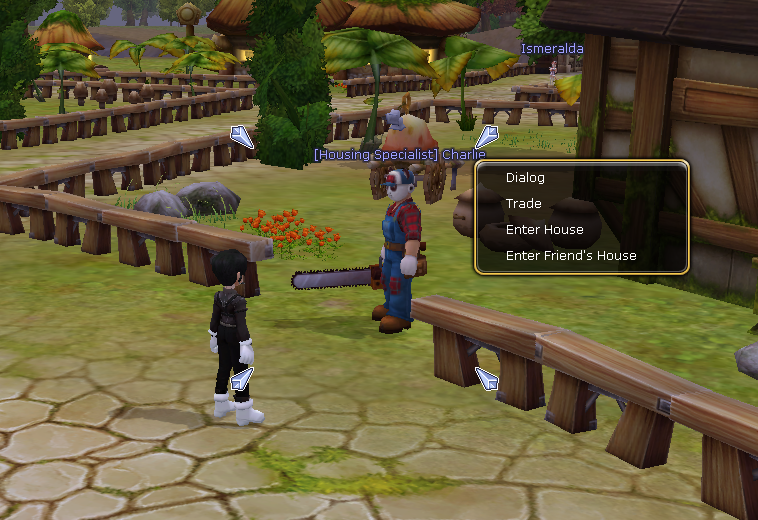
To access your House, talk to (Housing Specialist) Charlie in Central Flarine City. Select the “Enter House” option to enter your home.
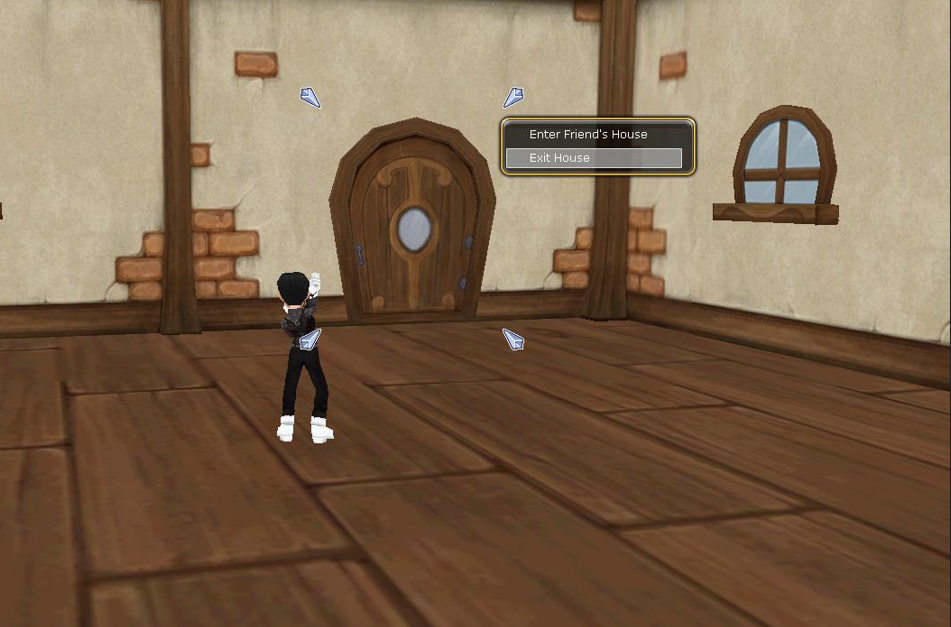
To leave your House, click on the door and select “Exit House”.
How to decorate your house
You can decorate your home with pieces of furniture that come in many different colours, shapes, and sizes. Some pieces of furniture also provide additional stats.
To decorate your house, you must first purchase furniture from either a Housing Specialist. Charlie, the Cash Shop, or private shops in-game. The furniture will be stored in your inventory until you activate it by double-clicking on it. The furniture will disappear from your inventory, and it is then stored in the Housing window, which can be viewed by selecting “Housing” or by pressing the Hot Key “Y”.
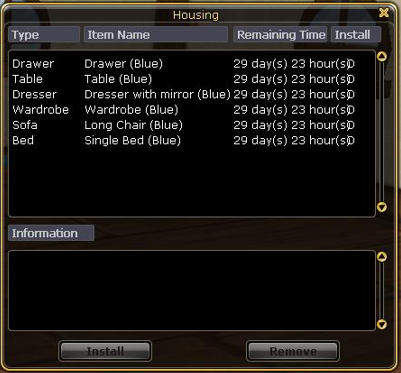
To place a piece of furniture, select the piece of furniture from the Housing menu and click on “OK”. You can now move the piece of furniture around with the mouse. To rotate the furniture, use the scroll wheel on the mouse or the “Page Up” and “Page Down” Keys. Once you are happy with the position of the furniture, left-click using your mouse, and your piece of furniture is now set in your house.
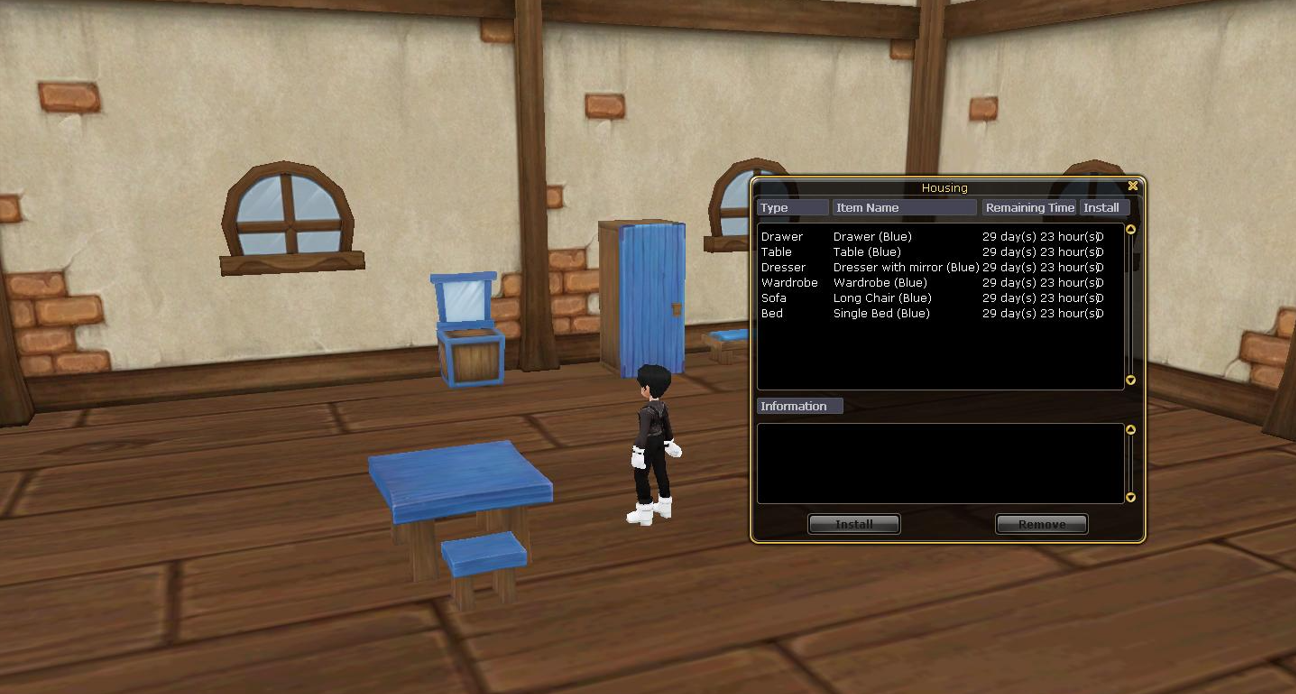
To remove a piece of furniture from your house, select the piece of furniture from the Housing window and press “Cancel.”
How to invite friends to your house
You can invite your friends over for parties, meetings, or just chilling out.
First, you must permit them to enter your house by selecting their name in the messenger, then right-click and select “House Entry Permissions”.
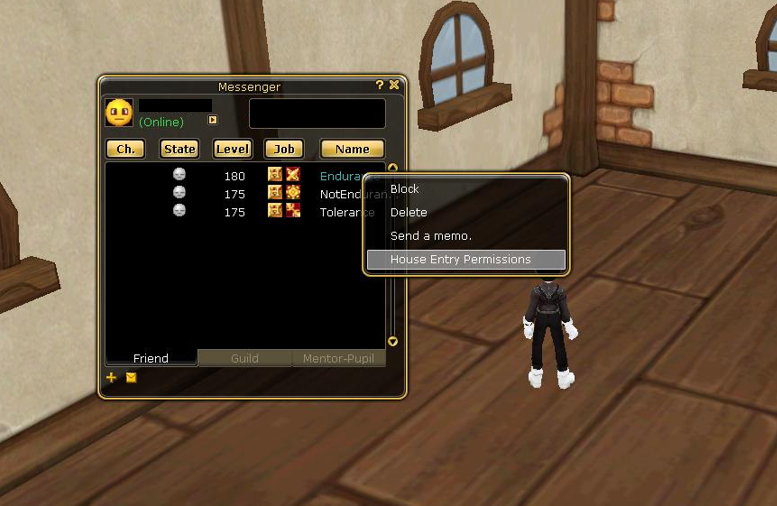
They can now enter your house by talking to (Housing Specialist) Charlie and selecting “Enter Friend’s House”.
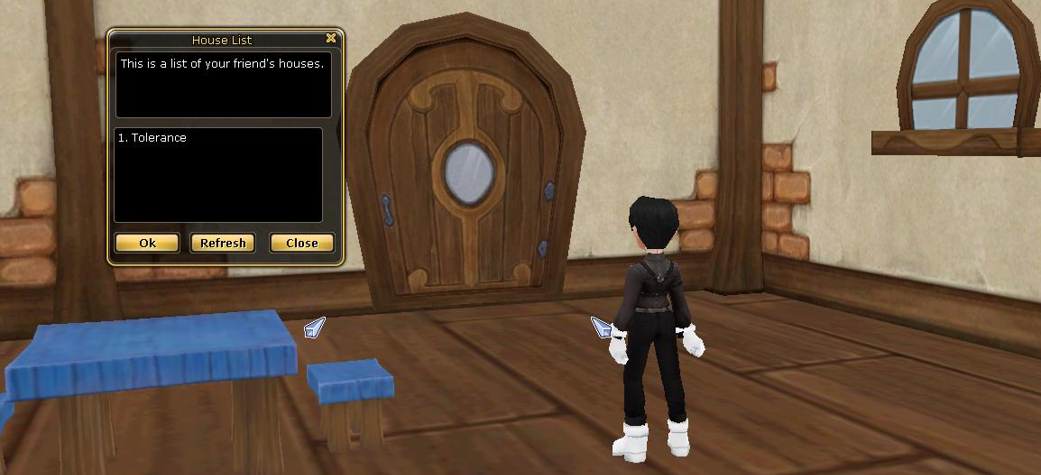
To remove the permission, select their name in the messenger, right-click, and select “Cancel Entry Permissions”.
Please Note:
- To enter a friend’s house, you must have their permission to enter activated.
- They must be online for you to enter their house. So you can not enter their house if they are offline.
- You must be on the same server to enter a friend’s house.