Table of Contents
Account Creation
In order to play FlyFF, you will first have to create a Play2bit Account. To create an account, go to [1]. On the center right, you can find the Join button. You will get the following screen.
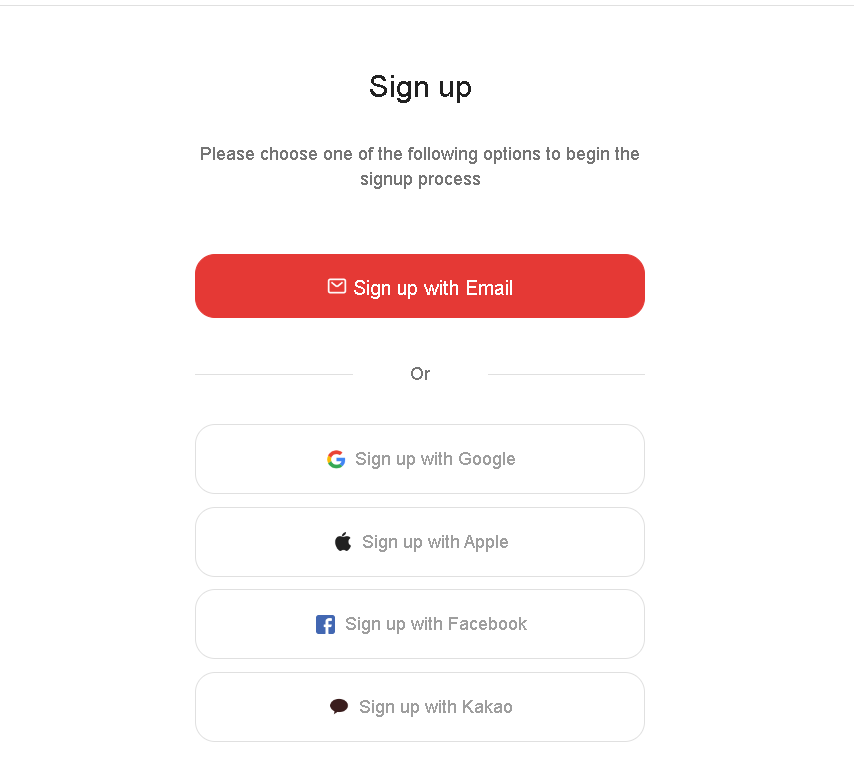
Here you can choose between Sign up with Email, Sign in with Google, Sign in with Apple, Sign in with Facebook, and Sign in with Kakao.
Sign up with Email
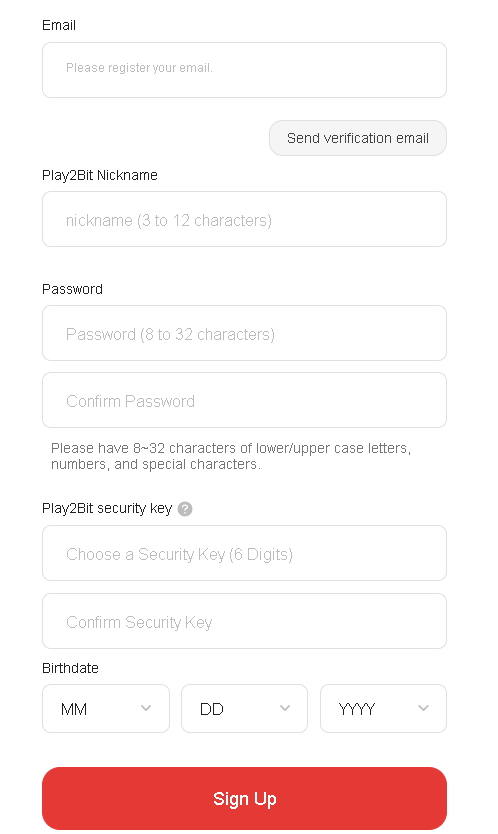
When you choose the Email option, you will need to provide an email address to register your account. You will first see the following screen. Here, you will have to fill in the email you wish to use for your account. Once you press OK, it will show a pop-up telling you an email has been sent for verification. When you receive the mail, press E-mail verification to get redirected to the account creation information. Here you have to fill in the following
Nickname: A nickname for your account of 3 to 12 characters long
Password: A password of 6 to 32 characters long, with a combination of two of the following: letters, numbers, and special characters. Use of continuous and duplicate numbers/characters is not allowed.
Play2Bit security key: You choose this 6-digit number yourself; you need this to confirm it is you who logs in from a new location.
Birthdate: Your birthdate
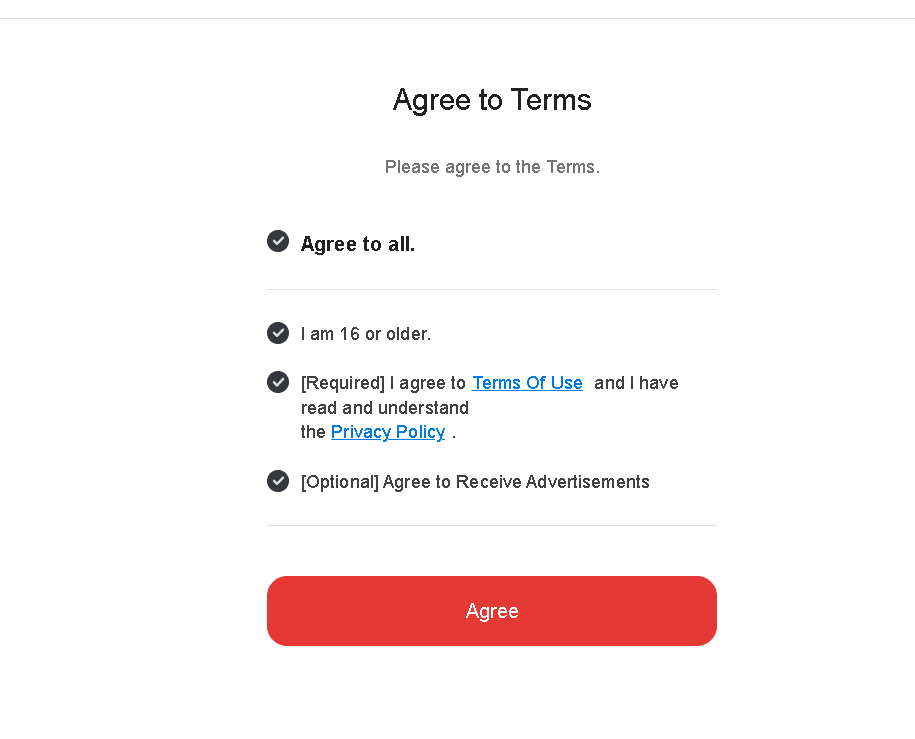
You will have to agree to Play2bit’s terms of service and the collection and use of personal information. Please read these thoroughly. When you have read them and agree with them, press Sign Up. Once you do this, it will show you that your account creation has been completed and that you can use Play2bit services now.
Sign in with Google
If you would rather use your existing Google account, you will have to select Sign in with Google. It will bring you to a screen, where it requests you to fill in the email or phone number of the Google account you wish to use. Once you have selected that, you will have to fill in your password.